What is Kits AI?
Are you looking to create unique songs with artificial intelligence? Kits AI* is one of the top AI voice generators in 2025, allowing you to clone your own voice or use a vast library of AI voices to produce music in any language. Whether you’re a musician, content creator, or just curious about AI music, this guide will show you how to make AI cover songs. For instance, the following sample is an AI-generated voice:
It is even possible to create an AI voice with several AI or real voices. The following audio sample is from Kits.ai and demonstrates how multiple AI voices can sound.
In this article, I will introduce you to Kit’s AI and explain all of its AI features in detail. By the end of this article, you will know how to make AI cover songs with your own voice.
How to Make an AI Cover With Your Own Voice in 3 Steps
With Kits AI, producing an AI cover takes less than five minutes—even if this is your first mix. Pick or clone a voice, paste your lyrics, and click “Convert.” The platform guides each step, so you spend time creating rather than configuring. Thanks to its AI singing voice generator (free on the Starter plan). This flexibility makes Kits AI one of the best AI voice generators for both personal and professional music projects.
If you choose to clone your voice, ensure the recording is of high quality with no distracting background noise. Otherwise, your AI voice might have poor sound quality. As a general rule, the better your audio file, the better your AI voice will be.
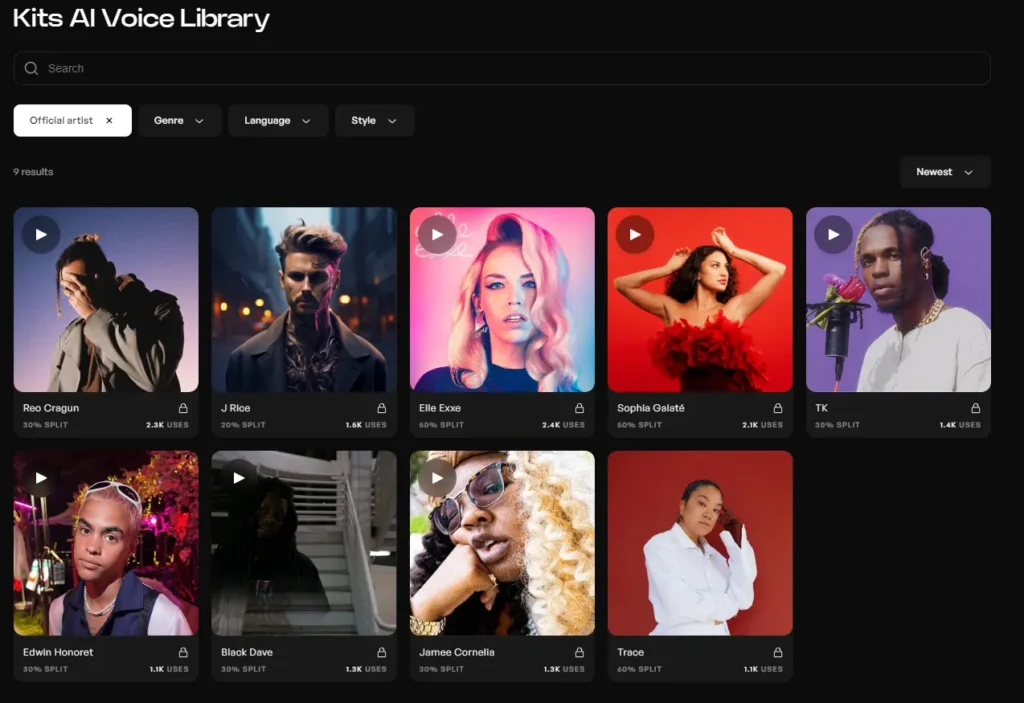
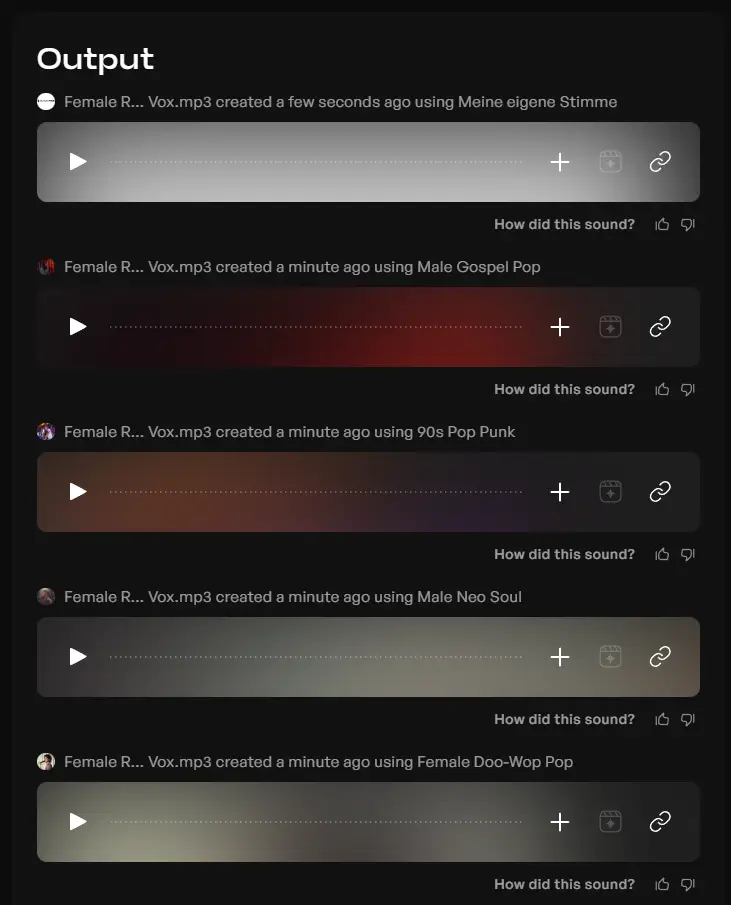
In the AI Voice Library, you can filter by different languages, styles, and genres. You can select either a free AI voice or your own cloned AI Voice. To compare your cloned AI voice with those from the Library, you can select several, and Kits AI will generate the AI vocals for each voice. There are a total of 5 slots available for your AI voices.
Eventually, you need to click on convert to compose your first AI music via text-to-speech or from an audio file:
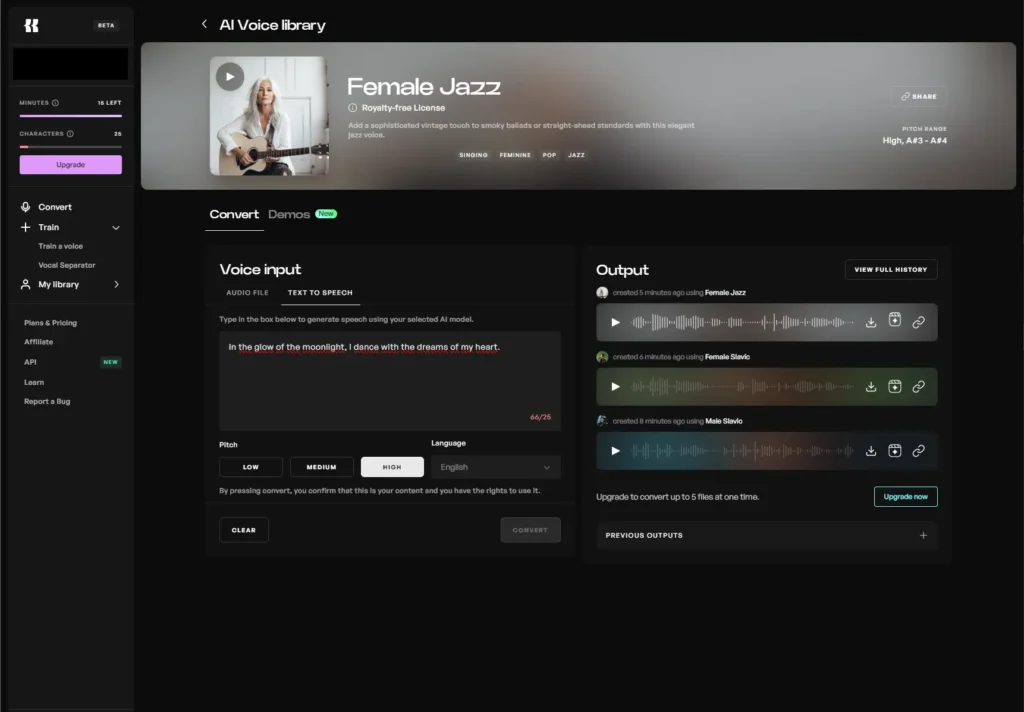
Kits AI Features: From Voice Cloning to AI Mastering

Voice Cloning & Training
its AI lets you clone your own voice or blend two Kits AI Community voices to craft a tone no one else has. Simply upload a clean recording and choose a matching style, and the algorithm will return a studio-quality model ready for any genre. Blending voices is perfect for creating duets, ad-libs, or multilingual hooks without needing extra sessions.
The screenshot shows two voices: one cloned from your own voice and another created by combining two voices from the AI Voice Library. When merging two voices to create AI vocals, ensure that the voices match stylistically. If you plan to use your own AI Voice, use only high-quality recordings.
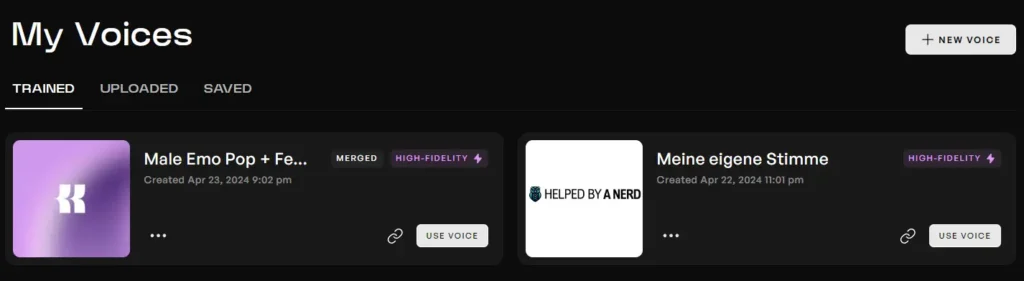
You can train your voices using your own files or based on a YouTube video under the “Train a voice” feature. For example, I trained my own voice using a YouTube video of myself.
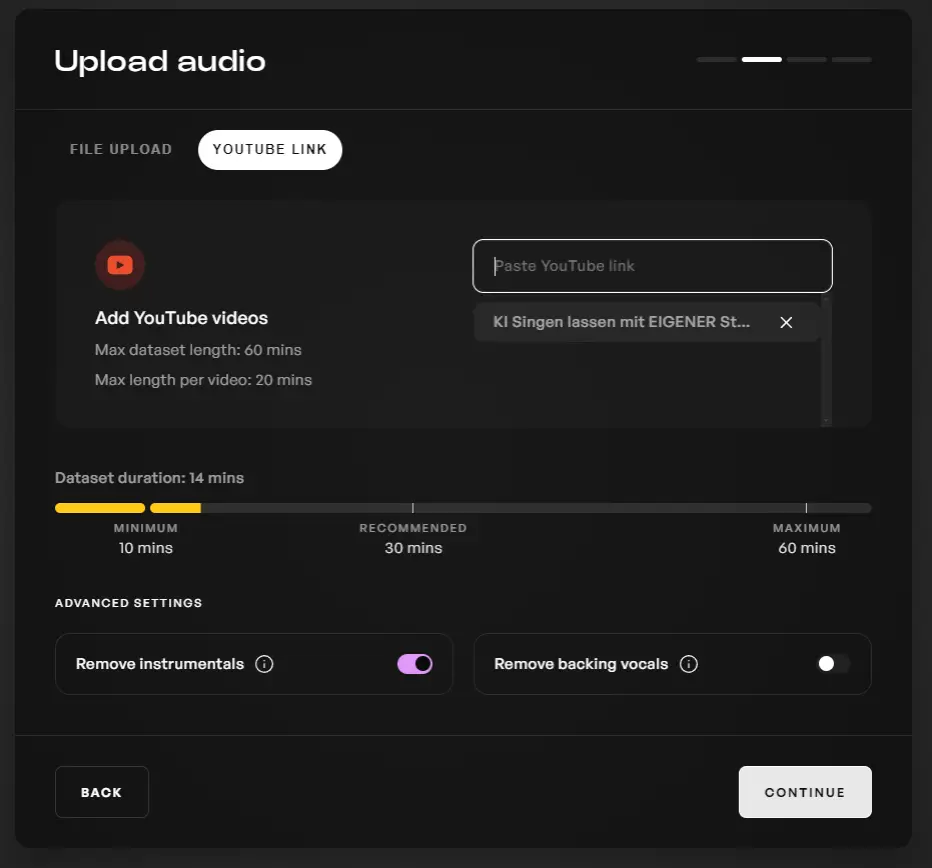
Make sure the quality of your recording is really good. Otherwise, your cloned voice might sound noticeably AI-generated. Generally, it’s sufficient to use a decent microphone in a room without any background noise.
Voice Designer & Blender
Kits AI’s Voice Designer lets you craft a custom AI voice without needing to record your own. With this tool, you can create your own AI voice for your AI cover song.
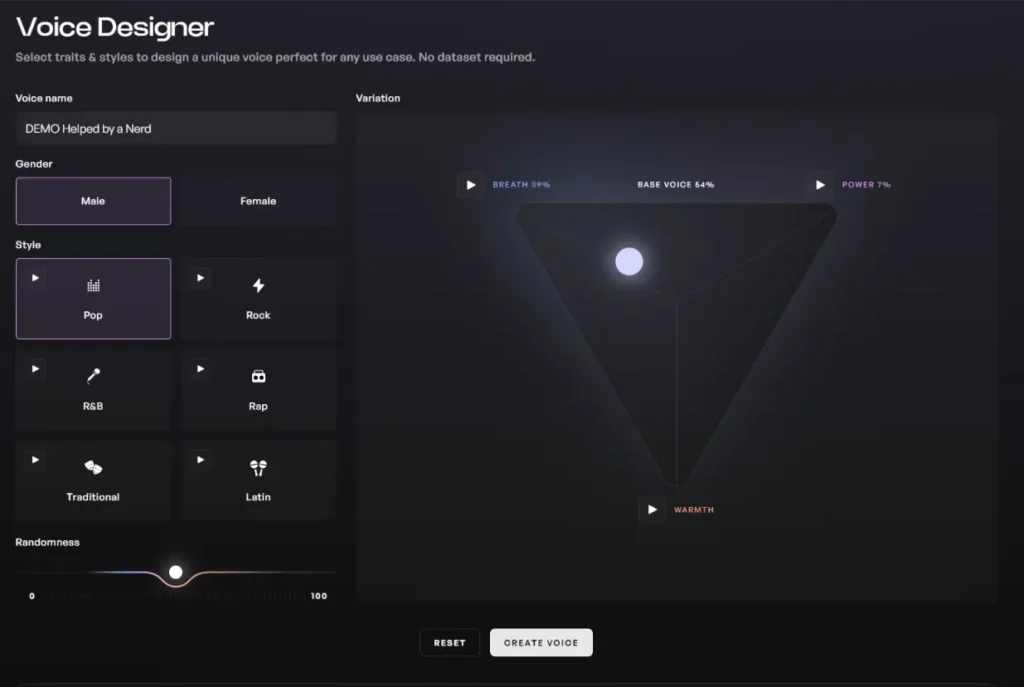
When using the Voice Designer, you can specify whether you want a male or female voice. You can then select a style, such as pop, rock, or rap. The rap style, for instance, would be well-suited if you want to generate AI rap songs.
In the center of the triangle you will find a slider that you can use to adjust the components of the AI voice. These components include Breath, Power, and Warmth. Finally, you can adjust the Randomness value before generating your AI voice. This feature offers an easy way to create AI music and experiment with your own custom AI voice.
Under the Voice Blender, you’ll find the feature to combine two different voices. This allows you to create entirely new voices.

AI Singer Voice Generator
Here, you can make your chosen AI voice perform your lyrics with just a few clicks.
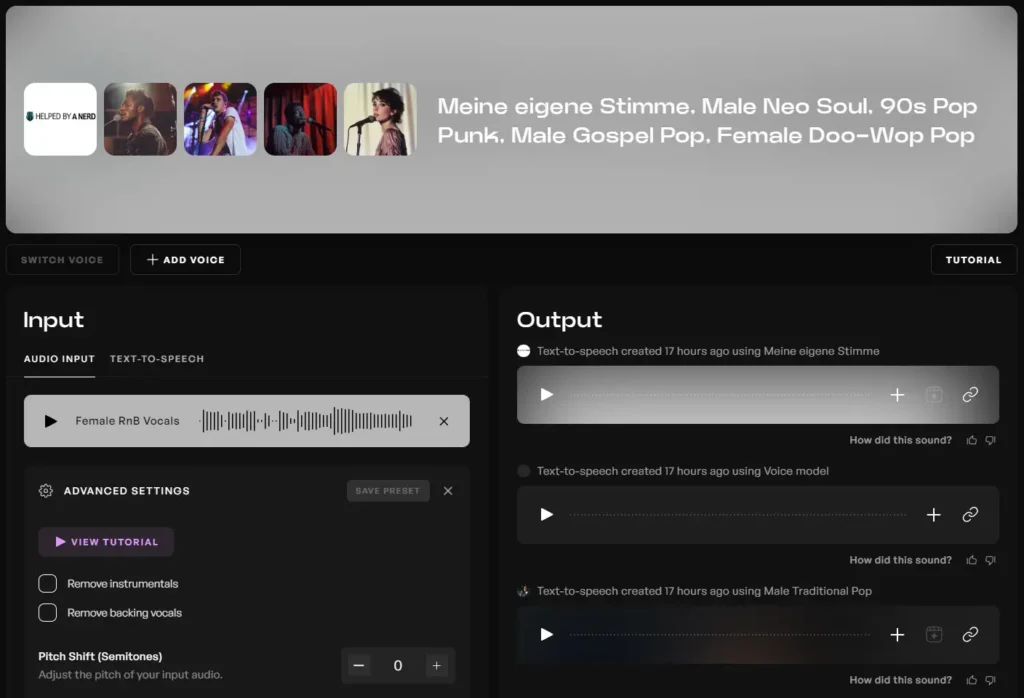
First, select your voices. You can use both your, own voices and any voice from the AI Voice Library. Next, optimize your settings in the Advanced Settings. You can adjust the following settings:
- Pitch Shift
- Conversion Strength
- Volume Blend
- Pre-Processing Effects
- Cut Noise
- Ct Rumble
- Cut Harshness
- Smooth Volume
- Autotune
- Post-Processing Effects
- Compressor
- Chorus
- Reverb
- Delay
Once you’re done with your settings, click on Convert, and Kits will make each selected voice sing your text.
Text-to-Speech Function
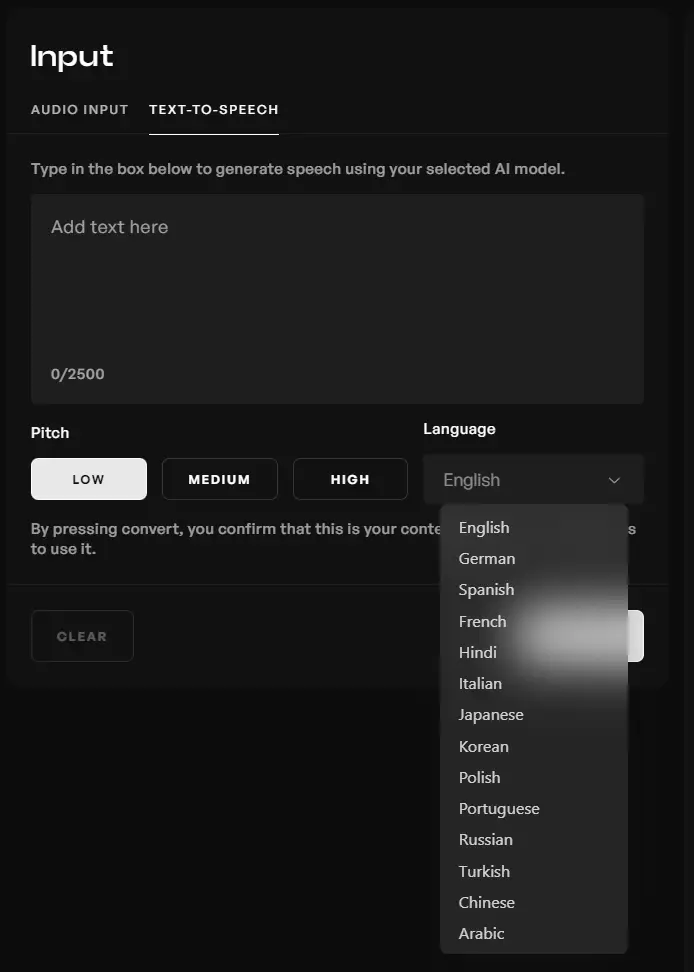
The Text-to-Speech tool allows you to generate natural-sounding spoken audio from any text. This means that the AI-generated voices don’t sing, but speak. You can enter up to 2.500 words, adjust the language, and modify the pitch contour.
Convert YouTube Videos & Recordings
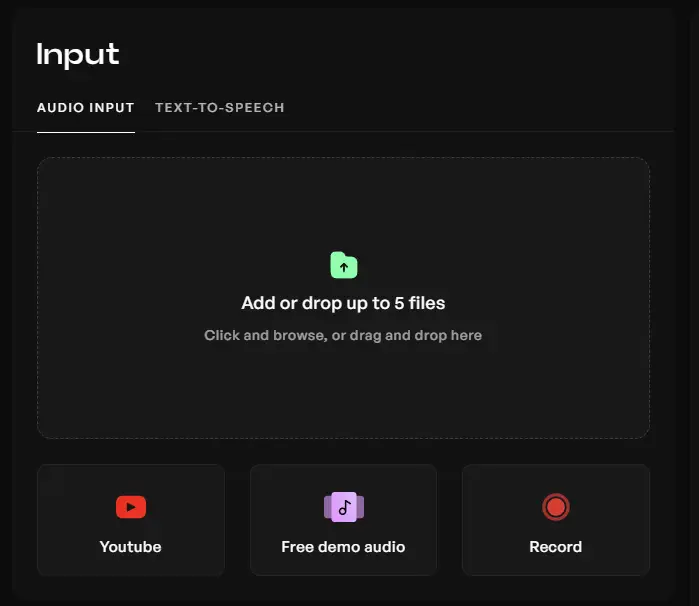
Simply record your voice and let Kits AI turn it into a unique AI vocal track. To do this, simply click on the Record button and start your recording. If you prefer to use an existing YouTube video, click on the YouTube button. Kits will download the YouTube video and extract the vocals. However, be aware that the length of the video is limited to 10 minutes.
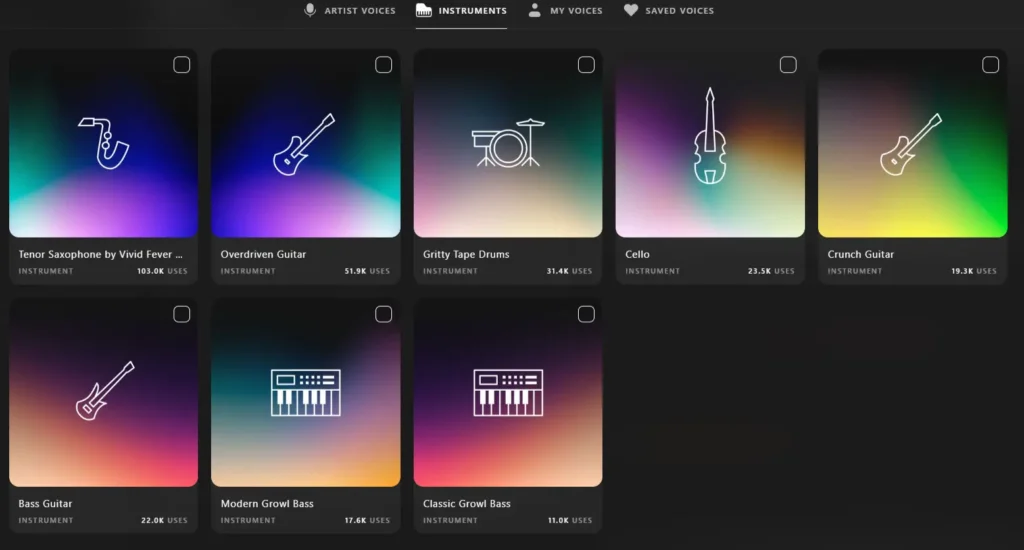
Alternatively, you can also convert your recording into instruments like a guitar, cello, or saxophone.
Tools
The Kits.ai software has evolved, and there’s now a Tools category on the left side. You can find helpful functions there to optimize your workflows.
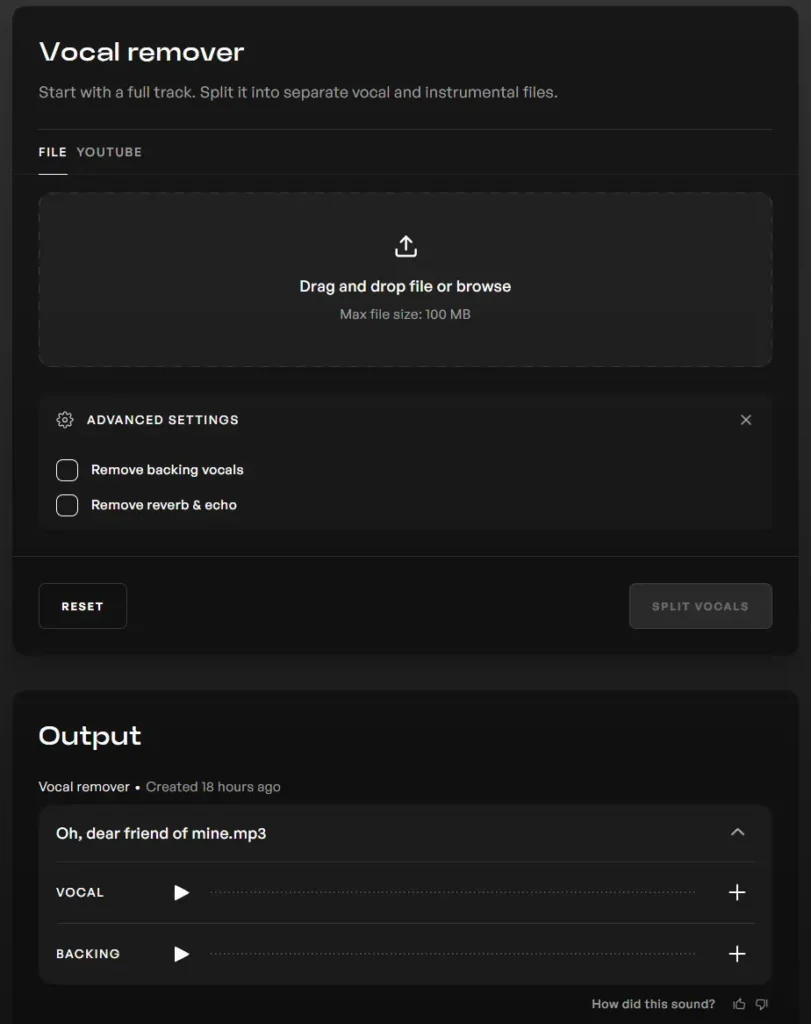
Vocal Remover
The Vocal Remover helps you separate voices from background music. This feature is useful when, for example, you want to extract the voice from a YouTube music video.
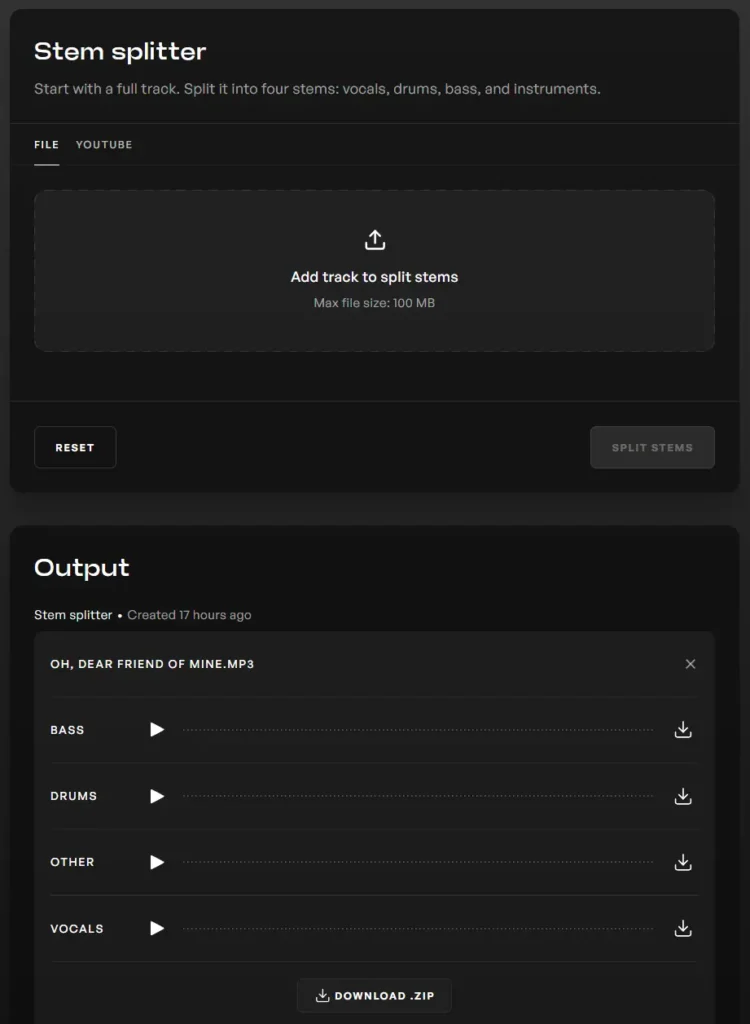
Stem Splitter
The Stem Splitter goes a step further and extracts bass, drums, and vocals for you. Everything that doesn’t belong to these three categories is separated into Others. This function is useful when, for example, you want to extract the beat from a song.
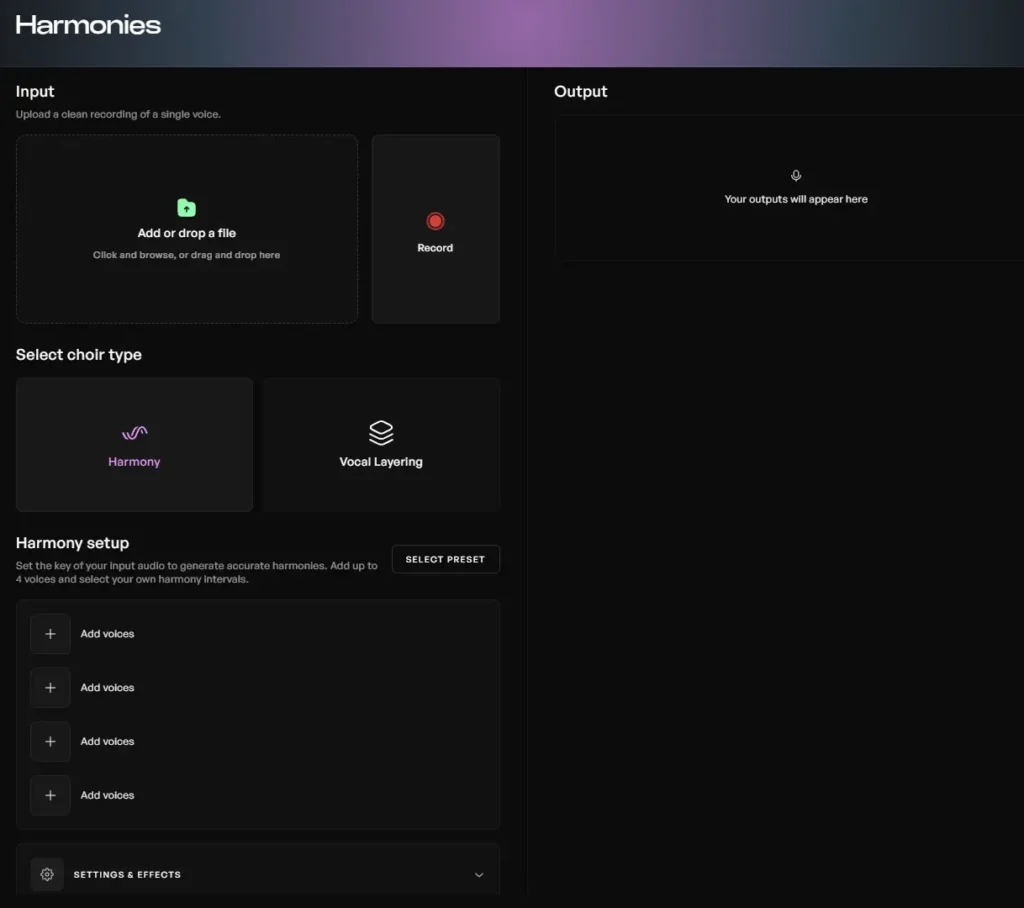
Harmonizer
The Harmonizer is a new feature that helps you to improve your voice and the quality of your vocals. In my opinion, the voices sound a lot like autotune. Whether you like it or not is of course a personal preference.
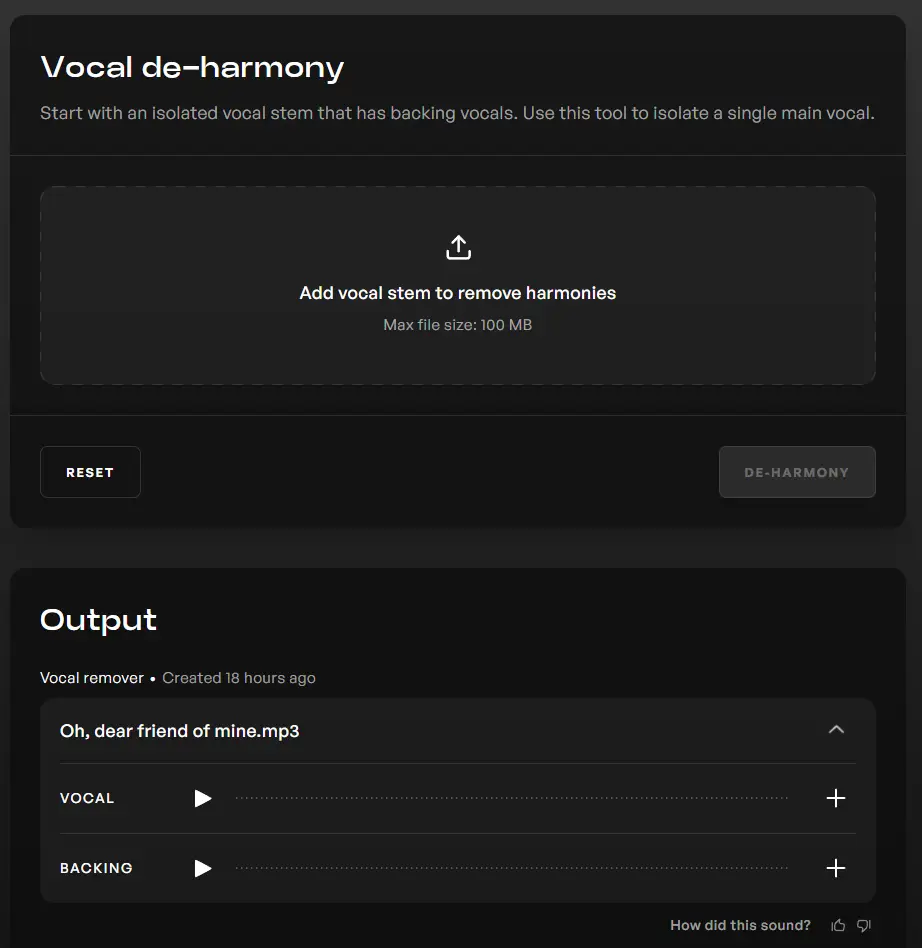
Vocal de-harmony
Vocal De-Harmony works similarly to the Vocal Remover, with the difference that you can extract one voice from multiple voices. For example, if several people are singing in the background and you only want the main voice, you can accomplish this with this tool.
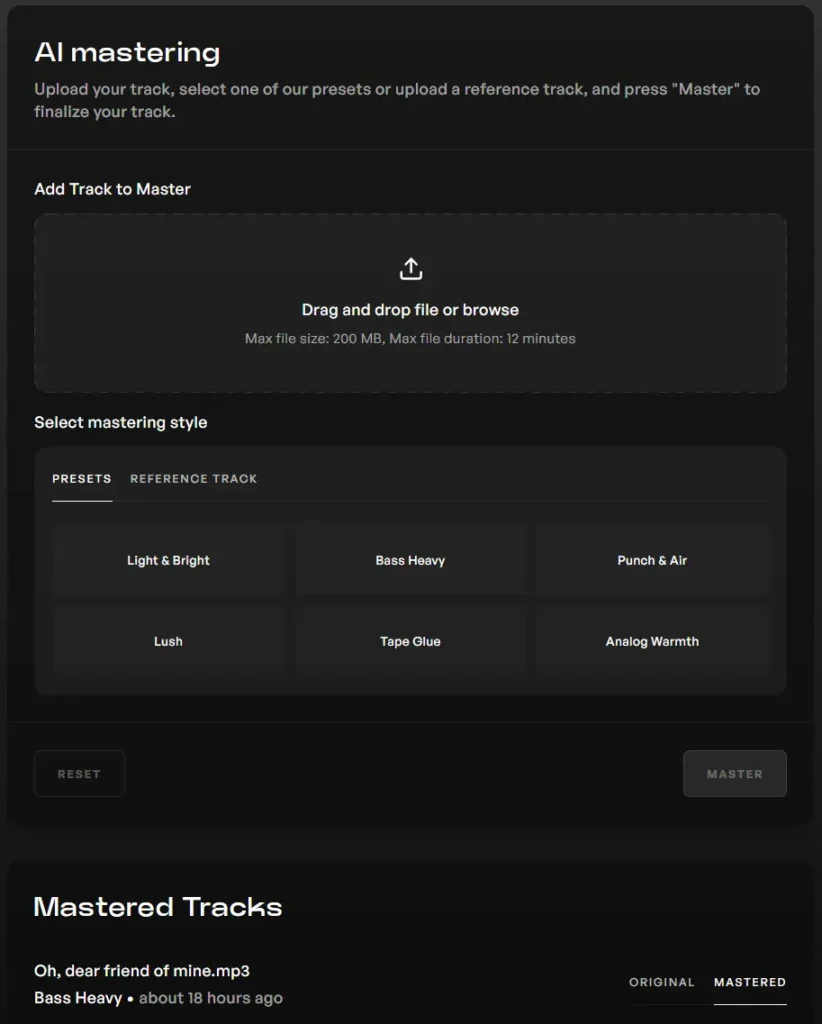
AI Mastering
AI Mastering includes presets from Kits. With these presets you can give your AI songs the final polish. For example, you can add more bass, lush, or light & bright to a song.
Explore 70+ Kits AI Voices & Instruments
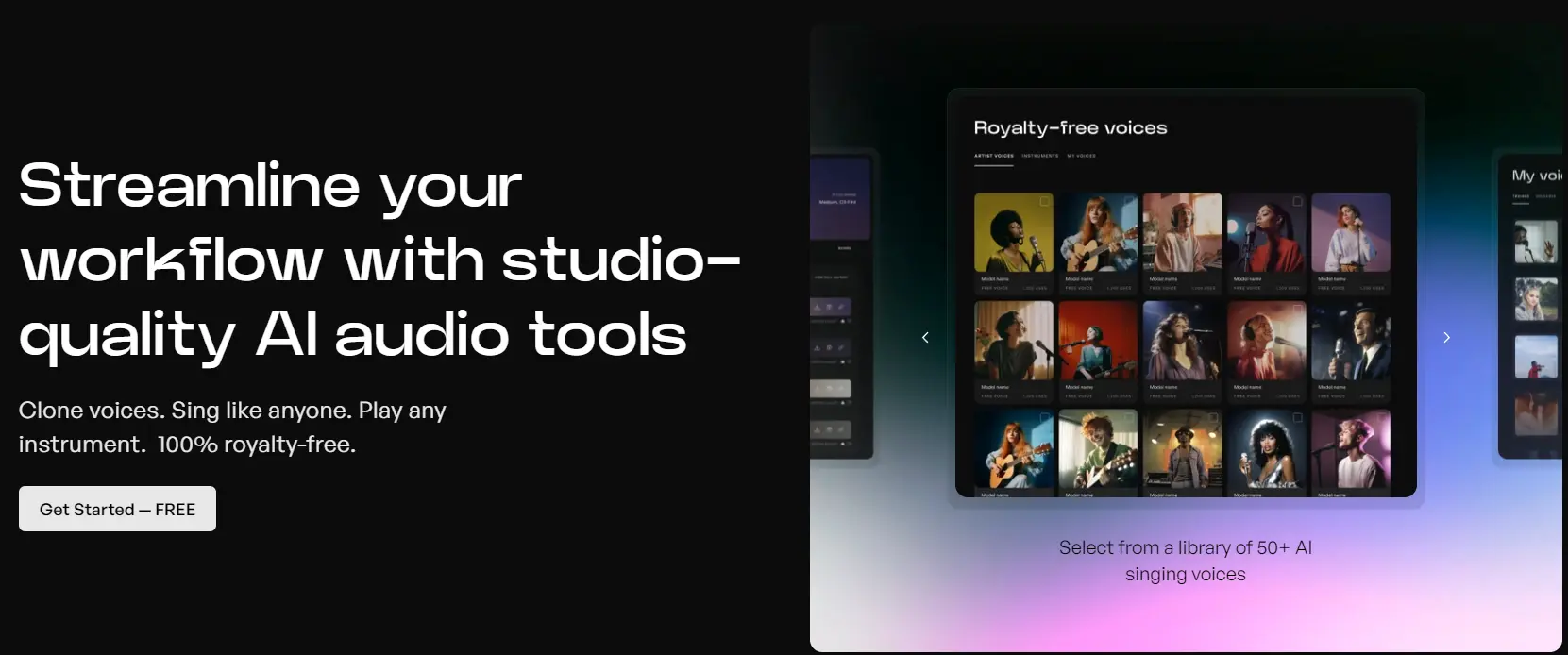
Kits AI partners with chart-topping artists like Reo Cragun to deliver nine official voices—and 53 community models you can use royalty-free in commercial projects. Whether you need a pop tenor, jazz crooner, or synth-style instrumen. At the current time, you can use the following voices:
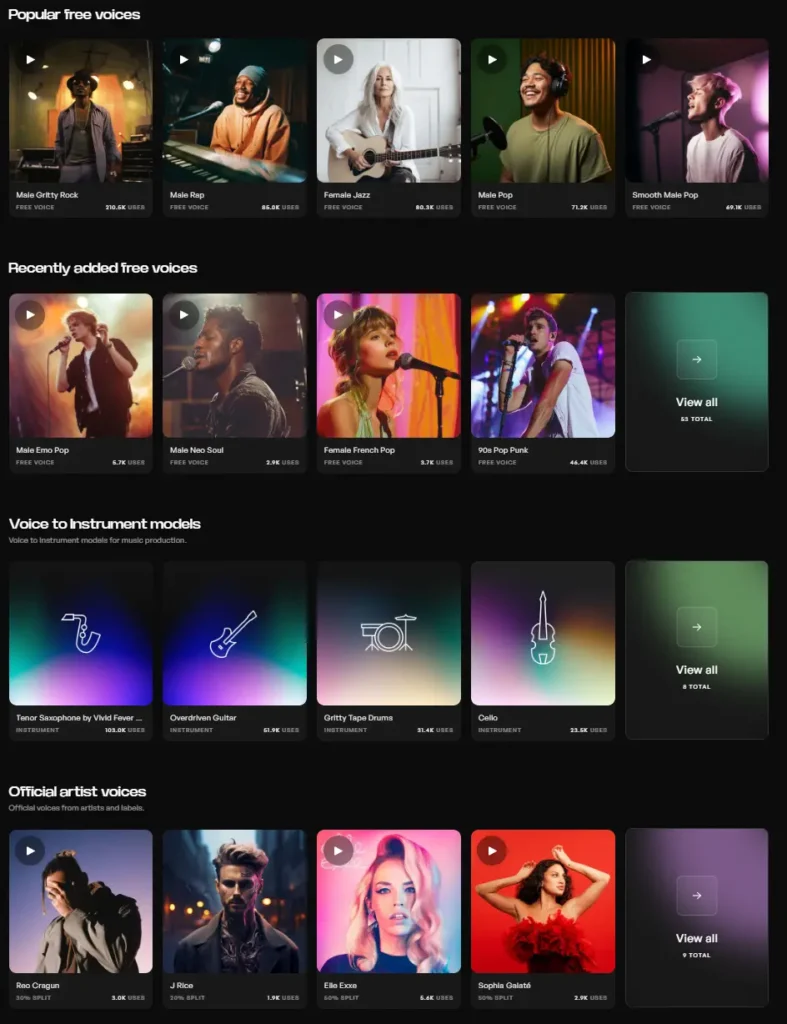
In the AI Voice Library, you’ll find:
- 53 Free Voices that you can use for commercial purposes
- 9 cloned artist voices
- 8 instruments
You can filter the AI Voice Library by:
- Model Type: Free, Official, Instruments
- Genre: Pop, R&B, Rock, Electronic, World, Jazz
- Style: Rapping, Singing, Speaking
- Gender
- Pitch Range
Kits AI Pricing
You can test Kits for free and have various AI-generated songs sung. Additionally, you have access to all artists, instruments, text-to-speech, and more. If that’s not enough, you can upgrade to the Converter, Creator, or Composer plan.
| Features | Free | Converter | Creator | Composer |
|---|---|---|---|---|
| Price | 0 $ | 9,99 $/Month | 24,99 $/Month | 59,99 $/Month |
| Clone voices | No | Yes | Yes | Yes |
| Model quality | Standard | High | High | High |
| Vocal Cleanup & Instrument Remover | No | Yes | Yes | Yes |
| YouTube Training | No | Yes | Yes | Yes |
| Audio download minutes | None, but you can listen to all your generated AI voices | 30/Month | Unlimited | Unlimited |
| Sound -Qualität | Standard | High(wav) | High(wav) | High(wav) |
| Access to the AI Voices Library with +40 AI Singer | Yes | Yes | Yes | Yes |
| Access to all +8 AI instruments | Yes | Yes | Yes | Yes |
| Text-to-Speech | Yes | Yes | Yes | Yes |
| Artist Library | Yes | Yes | Yes | Yes |
The only difference in the paid plans lies in the number of Custom Voices and download minutes. Download minutes are only deducted when you download a file from Kits. This means that you won’t be charged for generating AI voices.
Kits AI Alternative
Kits.ai is, of course, not the only AI voice generator that specializes in creating high-quality recordings. Providers such as Lovo.ai, Play.ht, Murf.ai, and Fliki are good alternatives to Kits.ai.
My Final Thoughts: Is Kits AI Worth It?
Kits AI stands out as a powerful and user-friendly AI voice generator for anyone interested in music creation, voice cloning, or experimenting with new audio tools. With its wide range of features, from voice cloning to advanced mastering, Kits AI makes it easy to produce professional-quality AI songs.
Frequently Asked Questions (FAQs)
Can you make music with AI?
Nowadays, artificial intelligence is being increasingly integrated into the music industry. AI music generators like Kits and Mubert are just a few of the tools that can be used to generate music and vocals with the help of AI. The applications for AI-generated music are diverse. For example, you can use AI music for YouTube videos or create entire AI songs with your own voice.
Which languages does Kits.ai support?
Kits.ai supports English, German, Spanish, French, Hindi, Italian, Japanese, Korean, Polish, Portuguese, Russian, Turkish, Chinese, and Arabic.
Is Kits AI safe?
Kits.ai is completely safe. I did not have any issues with my payment and support is available as well.
Can I convert YouTube videos into songs with Kits.ai?
Yes, you can upload a file as audio input, provide a link to a YouTube video, or directly record your own voice.
Can I also use Kits.ai for Text-to-Speech?
Kits.ai also supports Text-to-Speech without the texts being sung. This means that you can, for example, create a voice-over for any video.